
Recordings stay on the memory card. Ideal if you regularly return to the camera.

EVOLVEO StrongVision buying guide
How to choose the right trail camera
First decide when and where you want to access your recordings. Then compare resolution, infrared illumination and power options.
Your phone connects directly to the camera. No internet connection or SIM card is required.
Receive images over the mobile network. You need a SIM card, a data plan and sufficient signal.
Start with one question
How do you want to access your recordings?
Choose the situation that best matches your needs. A recommendation will appear alongside it, with a full comparison below.
| Camera type | How you access recordings | SIM card | Do you need to visit the camera? | Typical use |
|---|---|---|---|---|
| No connection | Memory card or built-in screen | No | Yes | Wildlife, gardens and regularly visited locations |
| WiFi | Locally through a phone app | No | Yes, but you only need to get close | Hunting hides, hard-to-reach installations, holiday homes and gardens |
| 4G/LTE | App, cloud, email or FTP, depending on the model | Yes | Not for routine checks | Remote holiday homes, properties, building sites and security monitoring |
How a trail camera works
A trail camera is a self-contained camera that spends most of its time in standby mode. A PIR sensor, or passive infrared sensor, detects motion by monitoring changes in thermal radiation within its field of view.
Once triggered, the camera takes a photo, a burst of images, a video or a combination of these, depending on your settings. Infrared LEDs illuminate the scene at night.
High resolution alone is not enough. A slow response, an unsuitable detection area or a subject beyond the range of the night illumination can make a recording unusable.
- 1
The PIR sensor detects a changeIt responds to a warm subject moving within the detection area.
- 2
The camera is triggeredTrigger speed determines whether the whole subject is captured.
- 3
A photo or video is recordedAt night, 850 or 940 nm infrared illumination lights the scene.
- 4
The recording is saved or sentTo a memory card, to a nearby phone or remotely over 4G.
Standard, WiFi or 4G
Each option suits a different way of using a camera. More expensive connectivity is not an advantage if you do not need it at your chosen location.
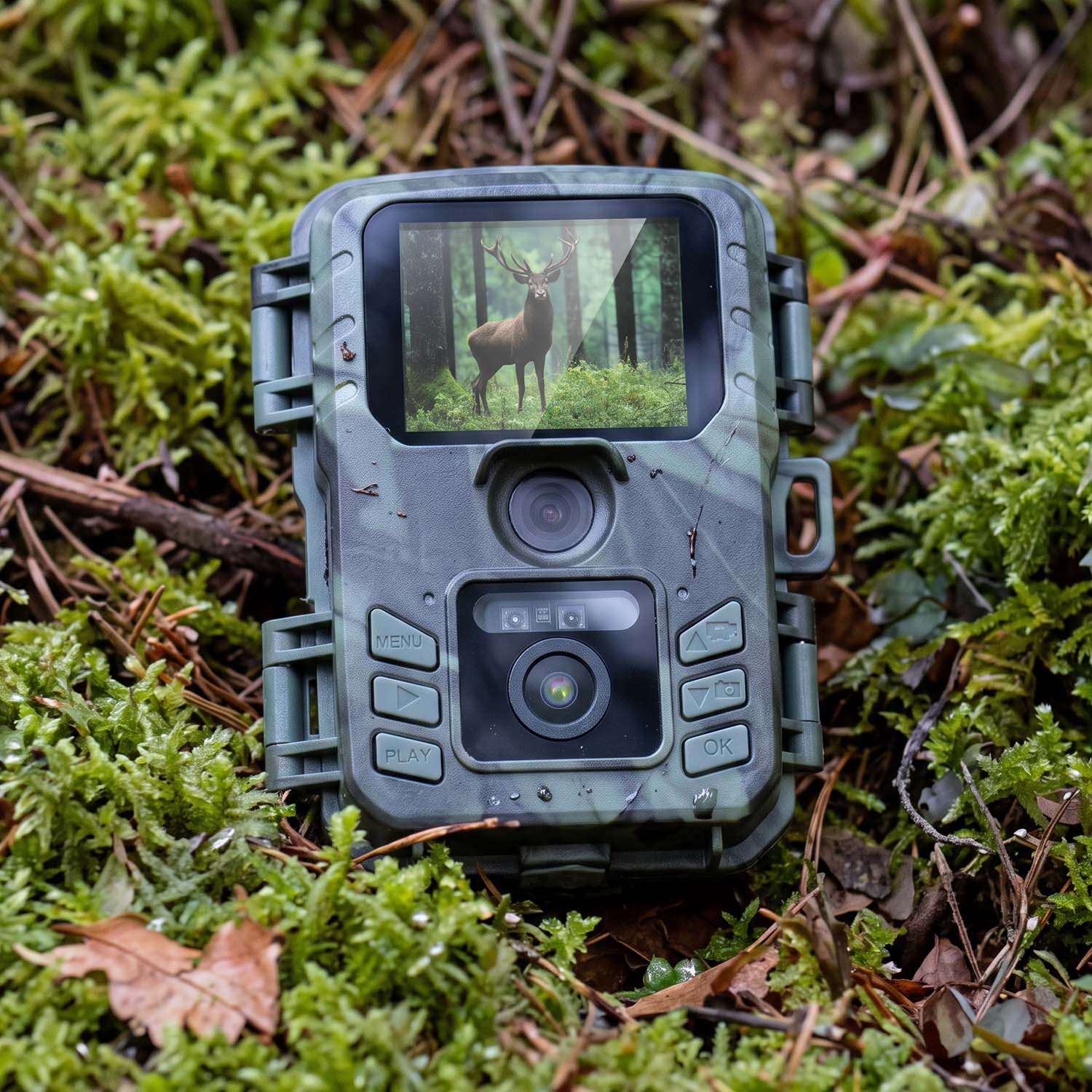
Standard trail camera: simple operation without a SIM card
Photos and videos are saved to a memory card. Check recordings by removing the card or using the built-in screen, if the model has one. There are no mobile data charges, and you do not need mobile coverage.
Choose this option if you regularly return to the site and do not need immediate alerts.
View EVOLVEO StrongVision Mini LCD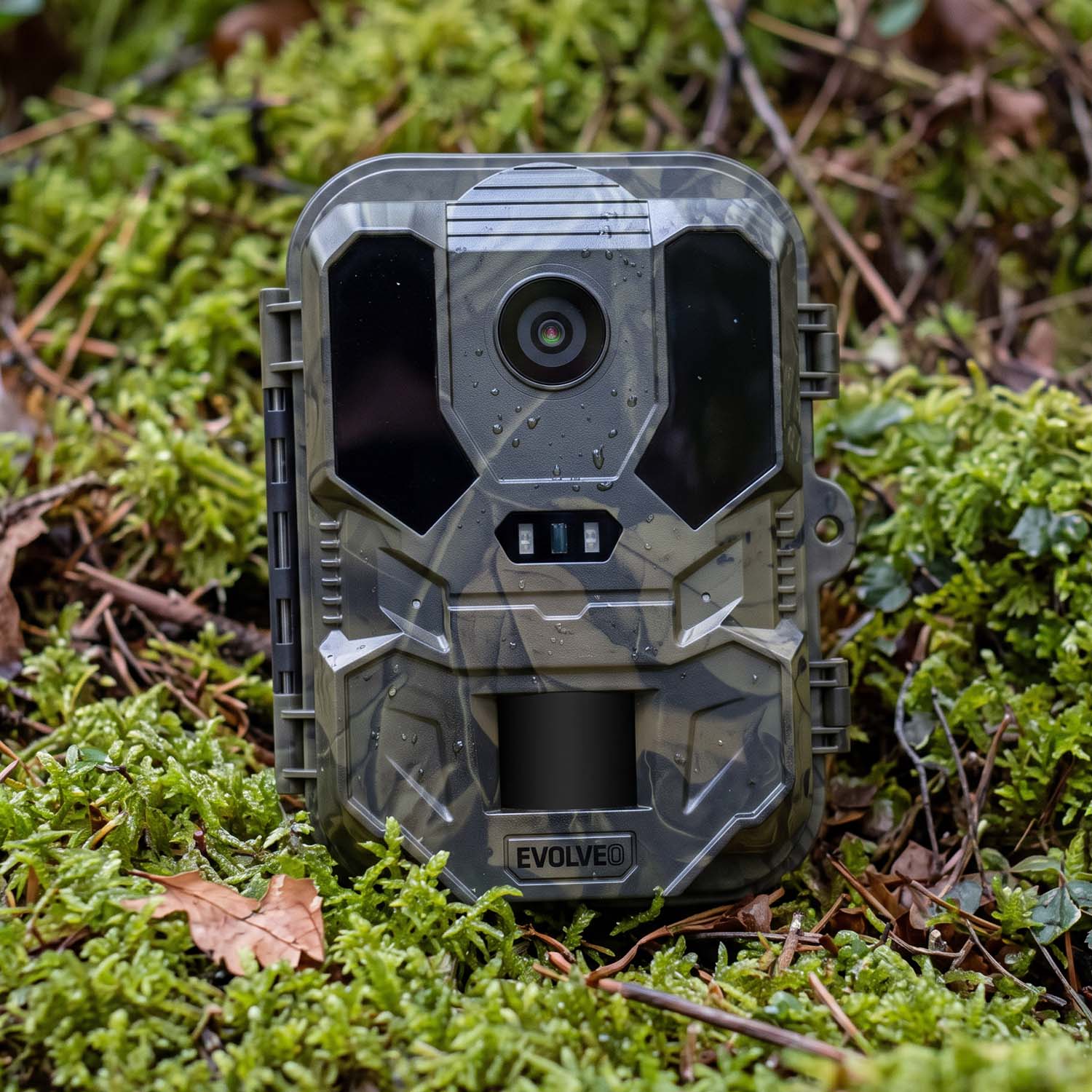
WiFi trail camera: convenient on-site access from your phone
With StrongVision models, the camera creates its own wireless network. Your phone connects directly to the camera. No internet connection, router or SIM card is required.
On the EVOLVEO StrongVision PRO WiFi II , Bluetooth is used to wake the camera and switch on its WiFi module. The phone then connects over WiFi to download or delete recordings, change settings and check framing using Live View. The manual states that both WiFi and Bluetooth have a range of 20 to 30 metres in open space, depending on the surroundings. Transfer speeds decrease as the distance from the camera increases.
Choose this option if you want the convenience of an app but do not need remote transmission over the mobile network.
View EVOLVEO StrongVision PRO WiFi II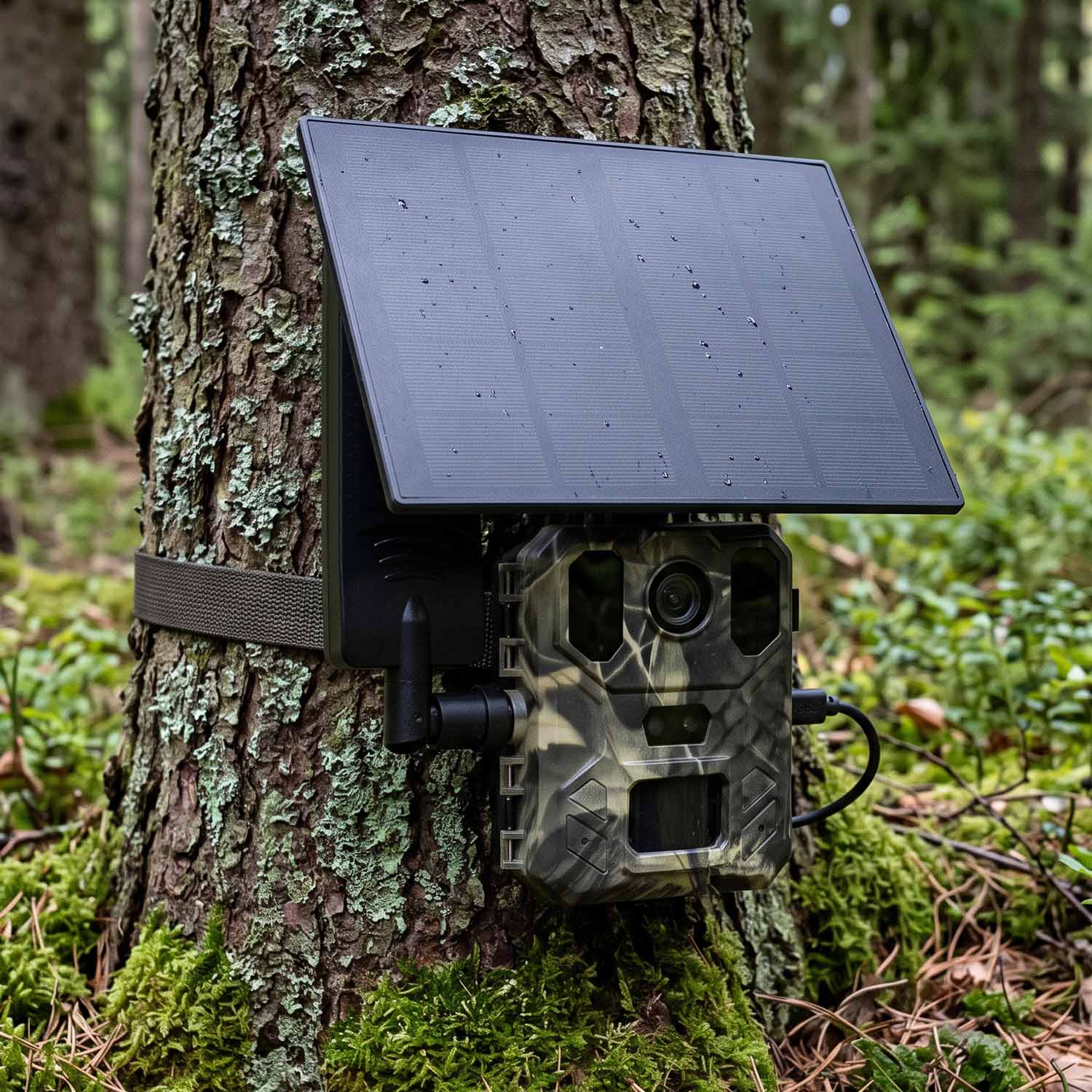
4G/LTE trail camera: updates from a distance
Using a SIM card and the mobile network, the camera can send images to an app, cloud storage, email or FTP, depending on the model. Some models also offer remote live viewing.
Before installation, check mobile signal at the exact mounting location. Weak or unstable coverage slows transfers, keeps the camera communicating with the network for longer and increases power consumption as it repeatedly searches for and restores a connection.
An advantage for property security: an image can be sent off the device before the camera is stolen.
View EVOLVEO StrongVision LTE MINISpecifications that matter
Look beyond megapixels
Usable recordings depend on a combination of fast triggering, suitable framing, night illumination, power supply and correct installation.

Trigger speed
On a narrow trail or by a gate, a few tenths of a second can determine whether you capture the whole subject.
Sensor and camera field of view
The detection angle is not the same as the lens angle. Remove branches and tall grass that could trigger false recordings in the wind.
Night-time IR illumination
With 850 nm illumination, a faint red glow may be visible when looking directly at the LEDs in the dark. 940 nm illumination is practically invisible to the human eye, making it less noticeable to people and wildlife; however, it generally has a shorter effective range than 850 nm. Always check the actual illumination range of the specific model.
More megapixels do not necessarily mean more detail
The stated photo resolution may be increased through software interpolation. Assess image quality using the sensor's native resolution, the optics and sample images, not just the highest megapixel count.
Power and battery life
Video, night illumination, Live View, data transfers and freezing temperatures reduce battery life. In good light, a solar panel extends unattended operation.
Memory card, weather protection and security
Check the supported card type and capacity, as well as the model's IP rating. A password protects access to the device; a compatible security box and cable lock help deter theft.
Practical preparation
What to check before installation
Plan the power supply, memory card and physical security before travelling to the site. This helps avoid early battery replacements and repeated setup visits.

Power in practice
Battery life depends not only on capacity but also on how the camera is used and the conditions at the site.
- Actual power consumption: video, night-time IR illumination, Live View and transferring recordings over WiFi or the mobile network usually require the most energy.
- AA batteries: use the recommended type and a complete set of the same age, brand and charge level. Do not mix new and partly discharged batteries.
- Li-Ion battery: fully charge it before installation. A charged spare is useful at a remote site if the model supports battery replacement.
- Temperature: freezing conditions reduce usable battery capacity, so allow a margin when planning winter checks.
- Solar panel: position it away from permanent shade, orient it correctly and keep it clean. Charging will be weaker in winter or beneath dense tree cover.
- Compatibility: check support for external power, the correct voltage and connector, and the accessories recommended for the specific model.
Memory card, weather protection and security
The right card and a properly closed housing are essential for reliable outdoor recording.
- Card type and capacity: check whether the model uses SD or microSD, its supported capacity, speed class and required format.
- Recording check: format the card as instructed before deployment, then test recording and playback in the camera itself.
- IP65 rating: means dust-tight protection and resistance to water jets, not protection against immersion or prolonged standing in water.
- Seals: clean sealing surfaces before installation and firmly close the connector covers and housing latches.
- Theft protection: a password protects access to the device, not the camera itself. A compatible metal security box helps limit damage, while a cable lock secures it to a tree or post. EVOLVEO StrongVision PRO WiFi II has an eyelet for a security cable up to 12 mm in diameter.
Choosing a trail camera for your location
The model with the most features is not necessarily the best choice. Decide what you need to happen after an image is captured.
Feeding or baiting site
If you check the site regularly, focus on PIR detection, night image quality and battery life.
Multiple cameras across a hunting area
Download recordings to your phone during your rounds without opening the cameras.
Forest path or wildlife trail
Prioritise trigger speed, camera positioning and IR illumination range.
Infrequently visited holiday home
Remote alerts, mobile coverage and long maintenance intervals are important.
Building site, warehouse or equipment
Images can be sent off the device before the camera is stolen.
Garden at home
Simplicity is often more important than mobile data transmission.
Remote property
Check mobile signal, power options and your planned maintenance schedule.
Hunting hide or high-mounted camera
Live View makes it easier to check framing without repeatedly taking down the camera.
Specific recommendations
What to choose when...

Top 4G model
EVOLVEO StrongVision PRO 4G II
The most fully equipped choice for remote monitoring. It offers detailed images, fast 4G transfers and long operation on a replaceable battery.
- 4G/LTE access from anywhere
- Photos up to 36 MP
- 4K video with sound
- 940 nm night illumination up to 25 m
- Cloud, email or FTP
- Replaceable 10,000 mAh battery

I want a simple camera with a screen
EVOLVEO StrongVision Mini LCD is a straightforward option without a SIM card. It saves recordings to a memory card and lets you adjust settings on its built-in screen.

I want an affordable WiFi trail camera
EVOLVEO StrongVision MINI WiFi adds local control through an app. It suits locations you can approach when you do not want to handle the memory card.

I want WiFi, Live View and a rechargeable battery
EVOLVEO StrongVision PRO WiFi II offers local WiFi, Live View, an 8 MP sensor, a trigger time of around 0.5 s and a 10,000 mAh Li-Ion battery.

I want 4G and fewer maintenance visits
EVOLVEO StrongVision LTE MINI combines remote image transmission, a solar panel and replaceable Li-Ion batteries for longer-term monitoring at remote sites.

I want 4G and replaceable 21700 batteries
EVOLVEO StrongVision LTE POWER offers 4G/LTE, Live View, fast triggering, 940 nm IR illumination and the option to swap in a charged battery set in the field.
More models and accessories
Video guide
How to choose and set up a trail camera
Compare standard, WiFi and 4G trail cameras, or watch the complete setup guide for the EVOLVEO StrongVision PRO 4G II.
How to choose the right trail camera
A quick comparison of standard, WiFi and 4G models based on how you access recordings.
Read the related articleEVOLVEO StrongVision PRO 4G II setup, step by step
Inserting the SIM and microSD cards, connecting the EVOLVEO CAM app, setting up transfers and preparing the camera for the field.
View EVOLVEO StrongVision PRO 4G IIAfter choosing, set it up correctly
The follow-up guide covers inserting cards and batteries, PIR sensitivity, recording intervals, data transmission and connecting your phone.
Frequently asked questions
Is a WiFi or 4G trail camera better?
WiFi is useful for convenient access from a phone close to the camera. Choose 4G/LTE if you need to receive images from a remote location over the mobile network.
Does a WiFi trail camera need internet access?
Not always. With local WiFi StrongVision models, the camera creates its own network and your phone connects directly to it. Neither internet access nor a SIM card is needed.
Does a 4G trail camera need a SIM card?
Yes. Remote transmission requires a SIM card with a suitable data plan and sufficient mobile signal at the installation site.
Which trail camera is suitable for wildlife?
If you check the location regularly, a model without remote connectivity is often sufficient. Focus on trigger speed, PIR detection, night illumination, field of view and battery life. A 4G model may be more practical for a remote location.
Which trail camera should I choose for a holiday home?
For an infrequently visited holiday home, a 4G/LTE trail camera makes the most sense if mobile coverage is available. For a property you visit often, a WiFi or standard model may be sufficient.
Why is the category called GSM when the models use 4G?
The shop uses the term ‘GSM trail camera’ as a general label for cameras with a SIM card that transfer data over the mobile network. All trail cameras currently offered by EVOLVEO in this category use 4G/LTE; standalone 2G models are no longer part of the active range.
How many megapixels should a good trail camera have?
There is no single ideal figure. The maximum resolution of a saved photo is not the same as the sensor's physical resolution. Consider the optics, night illumination, trigger speed and conditions of use as well.
Is a trail camera with a solar panel worth it?
Yes. At a remote or hard-to-reach site, a solar panel reduces visits to replace or recharge the battery, making it worthwhile whenever the model supports one. In good light, it can extend unattended operation several times over. Its benefit will be smaller in dense woodland, with poor orientation, in winter or during long periods of overcast weather.
Start with how you will use it, not a specification table
Choose how you want to access recordings, then compare trigger speed, PIR detection, night illumination, power and security.
Battery life for your usage
Trail camera battery life calculator
The calculator is collapsed by default. Expand it, then choose the model, power supply and expected number of recordings.
The calculator is loading. If the form does not appear, use the standalone battery life calculator.


